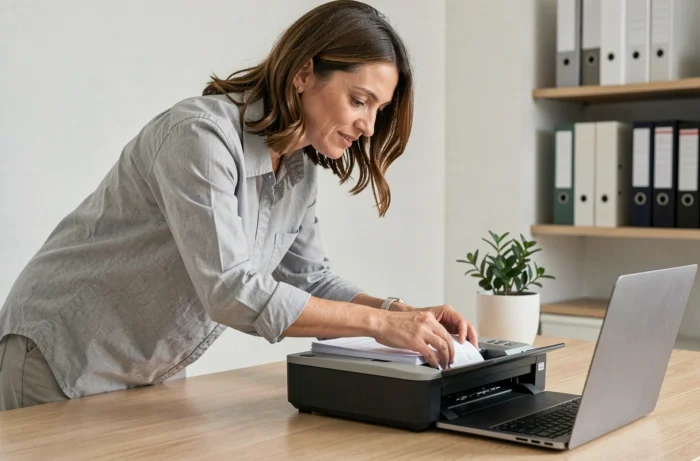
The choice of scanning software is no longer just about simple paper-to-PDF conversion. Since AI-based OCR engines have published comparable academic benchmarks, we finally have objective criteria to differentiate between solutions. A high-performance software for scanning and digitizing your documents relies on three pillars: the quality of the recognition engine, compatibility with your document workflow, and regulatory compliance, particularly in Europe.
Published OCR Benchmarks: The Technical Criterion That Guides Ignore
Most comparisons merely relay the recognition rates announced by publishers. These unverifiable figures do not allow for reliable comparisons between two scanning software.
Since 2024, several AI OCR platforms have published detailed scores on independent academic benchmarks. These documented test sets cover various cases: handwritten documents, multi-column forms, multilingual invoices, degraded PDFs. A publisher that refuses to share its results on these benchmarks deserves special attention, as opacity regarding the actual performance of the OCR engine often indicates poor recognition on edge cases.
We recommend systematically asking the publisher for its scores on at least one public benchmark before making any decisions. If you handle documents in multiple languages, ensure that the engine has been evaluated in each of them, as performance can vary significantly from one language to another, even among Latin languages.
Choosing intelligent scanning software on The Infos du Geek precisely involves assessing the robustness of the OCR engine against real documents, not just against high-quality scans under ideal conditions.
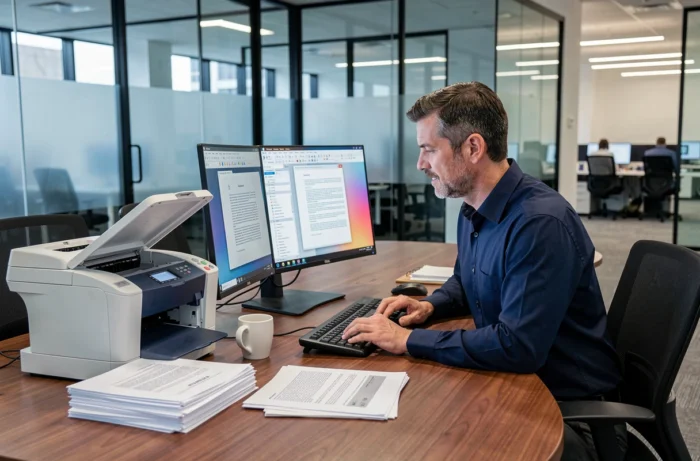
Qualified Electronic Archiving and eIDAS 2.0 Regulation: What Your Scanning Software Must Provide
The European regulation eIDAS 2.0 (EU 2024/1183), in effect since May 2024, introduced qualified electronic archiving as a new trust service. The implementing acts published in 2025 refer directly to the CEN/TS 18170:2025 and ISO 14721:2025 standards (OAIS model). The digitization of documents can no longer be separated from the issue of their preservation with probative value.
In practice, this means that scanning software intended for professional use in Europe must generate files in formats that comply with long-term durability and readability requirements. PDF/A remains the standard, but not all software produces compliant PDF/A. Some merely rename a standard PDF.
Checklist Before Purchase
- Does the software natively produce PDF/A-1b or PDF/A-3, with integrated validation of the output file (not just an export option)?
- Are the embedded metadata (scanning date, source document ID, resolution) compliant with the OAIS model, or is a third-party tool needed to complete them?
- Does the software maintain an audit log tracking each scanning, modification, or deletion operation, a direct requirement of qualified archiving?
- Does the publisher provide a declaration of compliance with the CEN/TS 18170:2025 standards, or does it merely claim to be “eIDAS compatible” without specifics?
A software that does not meet these criteria remains usable for regular scanning, but it does not guarantee the probative value of archived documents. For companies subject to legal retention obligations, this distinction is crucial.
Hardware Compatibility and TWAIN, WIA, ICA Drivers: The Scanner Lock-In Trap
A high-performance scanning software is worthless if it does not communicate properly with your scanner. The three dominant communication protocols are TWAIN, WIA (Windows Image Acquisition), and ICA (Image Capture Architecture, on macOS). Not all software supports all three.
TWAIN remains the most comprehensive protocol for professional scanners: it provides access to all device parameters (resolution, color mode, cropping, duplex feeding). WIA is more limited but better integrated into Windows. ICA is Apple’s native standard.
A software that only supports WIA limits your professional scanner’s capabilities. Before choosing, check the list of supported protocols and test automatic duplex scanning, as this is often where incompatibilities arise.

Common Case: Changing Scanner Requires Changing Software
Some publishers tie their software to a range of proprietary scanners. If you change hardware, the software becomes unusable or loses functionality. We regularly observe this issue in SMEs that have invested in an integrated solution without checking the software’s portability to other brands of scanners.
Favor software that generically supports the TWAIN protocol without additional proprietary drivers. This is the best indicator of hardware independence.
Batch Processing and Multi-Page PDF Management: The Functions That Separate Office Tools from Professional Software
Scanning a single document can be done by any free application. The difference shows up in batch processing: scanning several hundred pages, automatically separating them into distinct documents, applying OCR to each file, and indexing them in a coherent hierarchy.
- Automatic separation by barcode or blank page allows for processing a mixed physical batch without manual intervention between each document
- Zone-based OCR indexing (extracting an invoice number, a date, or a name) directly feeds your document management system
- Intelligent compression of PDF files reduces size without degrading the readability of recognized text, a critical point for large-scale storage
These functions are absent from most mobile applications like CamScanner or Adobe Scan, which remain tools for one-off capture. For a regular scanning workflow in a business, they are non-negotiable.
The suitable software thus combines an OCR engine with verifiable performance, documented compliance with European archiving requirements, open hardware compatibility, and batch processing functions tailored to your volume. It is better to have software that excels in these four areas than a suite that promises everything without proof.